

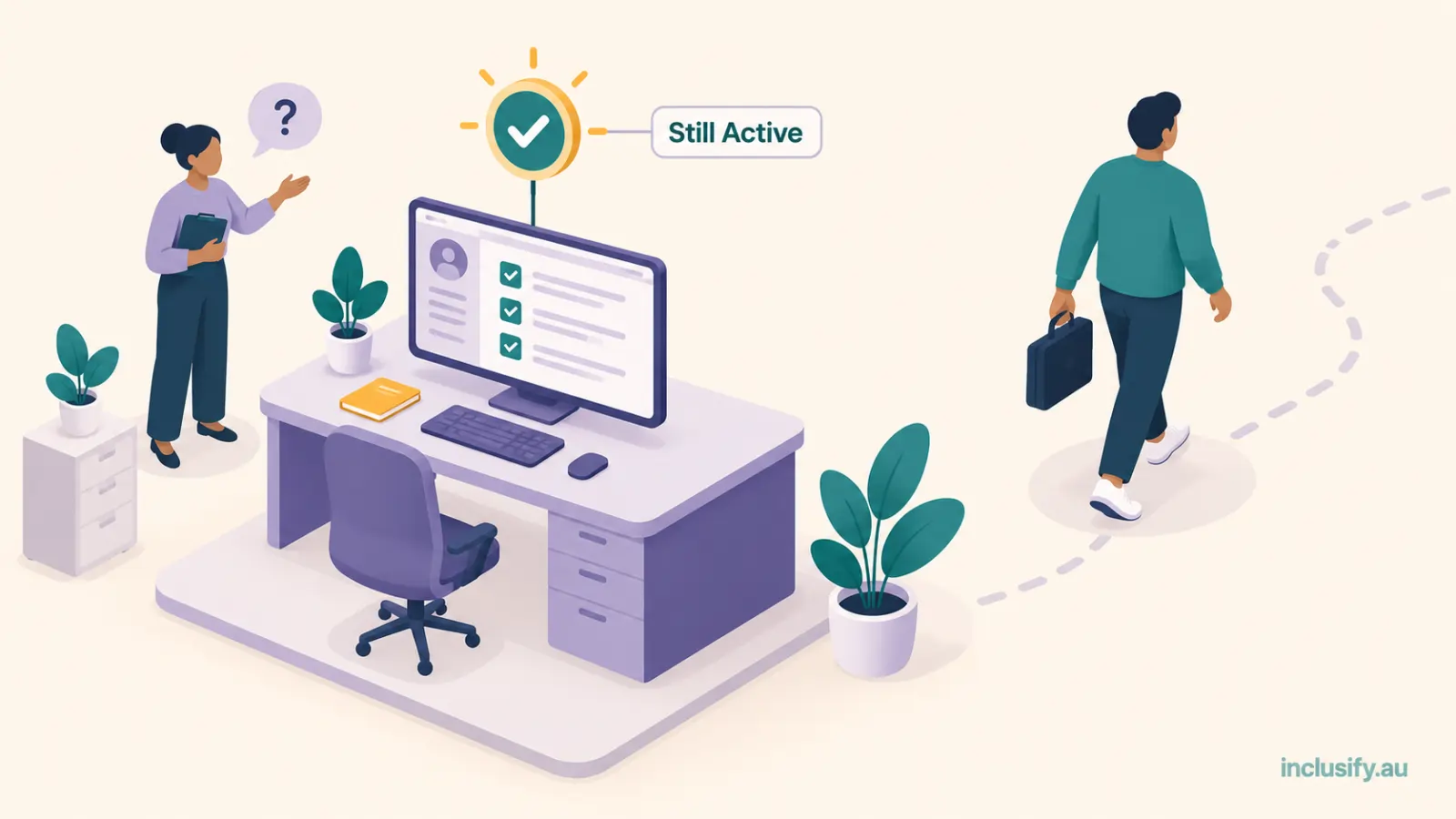
A support worker left an NDIS provider three months ago. Nobody disabled her login. She still has an active account on the rostering app, and can still see the notes and contact details of every participant she used to work with. Nobody noticed until an auditor asked a simple question: who currently has access to this system, and why. That gap, not a hacked server or a leaked spreadsheet, is how most NDIS role-based access failures actually happen.
NDIS role-based access gets talked about as a software feature, something you tick on in settings and forget about. That undersells it. Done properly, it’s how you demonstrate that participant information only reaches the people who genuinely need it to do their job. That’s exactly what the NDIS Commission and the Privacy Act both expect you to be able to show.
Most guides on this treat it as a list of role names: admin, coordinator, support worker, finance. That’s a start, not a framework. The harder, more useful questions are why this matters even at very small scale, what each role should and shouldn’t be able to see, and where access actually falls through the cracks in practice.
Why this matters even if you’re small

It’s tempting to assume privacy law is a large-organisation problem. Most small businesses in Australia, under $3 million in annual turnover, aren’t covered by the Privacy Act at all. NDIS providers are a specific exception to that general rule, and it’s worth understanding precisely.
The Office of the Australian Information Commissioner is explicit that the Privacy Act covers small business operators who are private sector health service providers, regardless of turnover. It specifically notes this includes an individual, including a sole trader. If you deliver NDIS supports, you’re very likely providing a health service for this purpose, so the usual small-business exemption doesn’t apply to you.
That means the Australian Privacy Principle covering security of personal information applies to your business now, at whatever size it currently is. Restricting who can see what isn’t a nice-to-have you’ll get to once you’re bigger. It’s part of your NDIS provider privacy obligations from your first support worker onward. What happens if access controls fail and information is exposed anyway is a related question worth its own guide; this one focuses on preventing that situation rather than responding to it.
What NDIS auditors actually check
The NDIS Practice Standards Core Module sets an explicit outcome for information management: participant information must be identifiable, accurately recorded, current and confidential, and appropriately utilised by relevant workers. That phrase, appropriately utilised by relevant workers, is the regulatory basis for role-based access. It’s not a software vendor’s marketing term; it’s what an auditor is checking for.
In practice, this means an auditor isn’t just asking whether you have a system. They’re asking whether a support worker can see the financial and clinical details of every participant in your caseload, or only the ones they’re rostered to. If the honest answer is ‘everyone can see everything,’ that’s a finding, not a technicality.
NDIS Practice Standards information management obligations apply the same way to a sole trader with one subcontractor as to an organisation with eighty staff. The standard doesn’t scale down for a small team the way the paperwork burden might.
We’ve covered what auditors actually check more broadly in NDIS Audit Readiness: What “Ready” Actually Means, and role-based access is exactly the kind of standing evidence that piece argues for. It’s something an auditor can verify by looking, not something you assemble the week before they visit.
Auditors don’t just check that roles exist, either. Increasingly they’ll ask for an access log, a record of who accessed which participant’s file and when, not just who was theoretically entitled to. Most NDIS-specific platforms generate this automatically as part of normal use. If yours doesn’t, that’s worth knowing before an audit, not during one.
The core roles most NDIS provider teams actually need
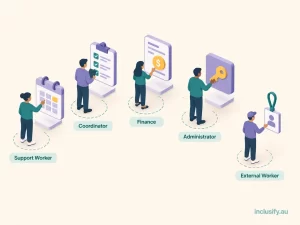
Strip away vendor feature lists and most NDIS teams need a small number of genuinely distinct roles, each with a clear answer to what they can see and what they can’t.
- Support Worker. Sees their own roster and the support plans, notes, and contact details for participants they’re actually rostered to. Can log shift notes and progress records. Cannot see other workers’ caseloads, financial data, or participants outside their own assignments.
- Team Leader or Coordinator. Sees rosters, care plans, and incident records across their team or region. Can assign shifts and approve timesheets. Typically doesn’t need full financial visibility unless they’re also handling claims.
- Finance or Plan Manager. Sees funding balances, service agreements, claims, and invoicing. Doesn’t need clinical detail like behaviour support plans or incident narratives beyond what’s required to process a claim correctly.
- Owner or Administrator. Full visibility, by necessity, since this role carries the governance responsibility the NDIS Practice Standards assign to key personnel. This is also the role most often over-assigned by default because it’s easiest, which is exactly the habit worth breaking.
- External or Subcontracted Worker. A visiting allied health professional or subcontracted specialist needs access to a much narrower slice than any of the above. Typically that’s just the specific participant and support type they’re engaged for, and only for as long as that engagement runs. Treat this as its own category rather than squeezing it into the Support Worker role, since the access window is usually shorter and the person isn’t part of your regular team.
This article focuses on staff-side access. Participant and family portal access, where a participant or their nominee views their own plan and progress directly, is a related but separate design question with different consent considerations, and isn’t covered here.
The specific NDIS software permissions each role gets will vary by platform, but the underlying logic shouldn’t. Access follows what someone actually needs to do their job, not what’s convenient to set up once and never touch again.
Where access control actually gets tested: onboarding and offboarding
Most providers set up roles reasonably well on day one and then let them drift. The two moments that genuinely test whether your access control works are when someone joins and when someone leaves, and offboarding is the on
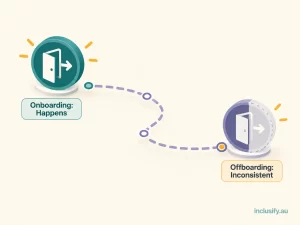
e that gets missed.
A new support worker gets added to the roster, given a login, and shown how to log shift notes. That part tends to happen. What happens when that same worker’s engagement ends, whether that’s a resignation, the end of a casual arrangement, or a termination, is far less consistent.
An offboarding checklist worth actually following covers three things. Remove system access on the worker’s last day, not whenever someone remembers to. Confirm their NDIS Worker Screening record is updated to reflect they’re no longer engaged by you. And check whether any shared logins or generic accounts they had access to need their credentials changed. Shared logins are common in smaller teams under time pressure, and they make this whole exercise meaningless if one person’s access can’t be individually removed.
Building this without an IT department
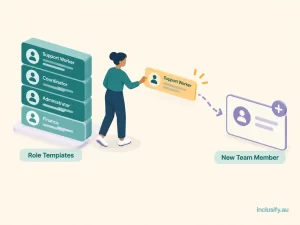
None of this requires a dedicated IT function, which is worth saying plainly since it’s the assumption that stops a lot of small and mid-sized providers from doing it properly. Most NDIS-specific platforms have role templates built in already, covering the core roles above, that an owner or coordinator can configure directly.
In practice, setting this up is a short, one-off task rather than a project. Start from the platform’s built-in role templates rather than a blank permission set. Assign each existing team member to the closest matching role, then adjust individual exceptions afterward rather than building every permission from scratch. New starters get added to an existing role in minutes, not configured individually each time.
Inclusify’s platform builds this in as part of workforce management rather than as a bolt-on security module, so setting up NDIS role-based access is a configuration step during onboarding rather than a separate project. For providers weighing this alongside broader software decisions, our guide on NDIS software for small providers covers how compliance obligations like this one apply regardless of your team size.
If you’re a genuine one-person operation without a second worker or subcontractor yet, the urgency here is lower; there’s no one else to grant or restrict access to. The moment that changes, even to add a single subcontractor, this stops being optional. Our guide to NDIS software for sole traders covers that transition point in more depth.
NDIS Role-Based Access: A Practical Checklist

- Confirm your provider is covered by the Privacy Act via the health-service carve-out, regardless of your turnover or team size.
- Map each team member’s NDIS software permissions to one of the core roles above, not a generic ‘staff’ account with broad access by default.
- Restrict support worker visibility to their own rostered participants, not the full caseload.
- Separate financial and clinical visibility so plan managers and coordinators only see what their role actually requires.
- Give external or subcontracted workers their own narrow, time-limited access rather than folding them into an existing staff role.
- Build an offboarding checklist that removes access on the worker’s last day, every time, not on an ad hoc basis.
- Eliminate shared or generic logins so every access change can be tied to an individual person.
- Review roles at least annually: pull the current user list from your platform, check it against who’s actually still engaged, and confirm each remaining role still matches what that person does.
Getting role-based access right
NDIS role-based access isn’t a large-organisation problem you’ll deal with eventually. It’s a Privacy Act and NDIS Practice Standards obligation that applies from your first additional worker, built around a simple idea: access follows the job, not the org chart’s convenience.
Getting the roles right once, with a clear process for what happens when someone joins or leaves, does more for your compliance position than any audit-week scramble. If you’re setting this up for the first time, Inclusify’s platform is built to make that configuration straightforward rather than something you need a consultant to implement.